A sampler for the TrimUI Brick · KNULLI · v2.0
Sample it.
Play it.
Pocket it.
An 80s/90s-style sampler that runs on a handheld. Record from a USB audio device or the mic, loop and chop what you caught, play it from 16 pads or across a keyboard, line your sounds up as wave sequences, then shape it all with an LFO and the FX section. Plug in a MIDI keyboard and it answers in 8 ms.
Free and open source (GPL-3.0) · Source code on GitHub
FEATURES
KIT MODE
A different sample on each of the 16 pads, on MIDI notes 36–51 (General MIDI drum layout). Pads are one-shot and choke themselves when you hit them again.
CHROMATIC MODE
One sample across the keyboard, 8 voices, sustain pedal and pitch bend. Attack, decay, sustain, release and velocity on every slot.
RECORD FROM USB OR MIC
Sample from a USB audio interface, a USB mic or a synth with USB audio, from channel 1, 2 or both. Or use the Brick's own mic. 32 to 48 kHz, 8 to 24 bit, and every take gets a name before it's saved.
WAVE SEQUENCES
Line up to 64 of your samples as steps and one key plays them in turn, like on a Korg Wavestation. More about it below.
LOOPS
Loop points set apart from start and end, so the attack plays once and the body repeats. A crossfade hides the join, a close-up shows the seam, Zero Snap finds a clean point.
KEEP THE GOOD PART
Happy with the start and end? Save just that part as a new sample, or overwrite the original.
CHOP
Cut a break or a phrase into 4, 8 or 16 equal slices, or let it find the hits on its own. The slices land on the pads, ready to play.
TIME-STRETCH
Make a sample 50% to 200% as long without changing its pitch. The result is saved as a new file, the original stays as it was.
LFO
Sine, triangle, saw, square or sample-and-hold, on pitch, volume and filter cutoff. Delay to fade it in, mod wheel to ride the depth.
FX SECTION
Drive, bitcrush, downsample, a resonant low/high/band-pass filter, stereo delay with ping-pong, and reverb. Switch each section on or off with no clicks: the echoes and the reverb tail ring out.
MIDI LEARN
Any USB MIDI keyboard or controller. Point at an FX or LFO value, turn a knob, and that knob is now in charge. The map stays for every project.
8 MS LATENCY
The audio engine runs in C on its own real-time thread, apart from the screen. Fast attacks on a piano feel immediate.
PROJECTS
Save as many projects as you like, each with its own samples, settings, LFO and FX. Rename or delete samples from the browser.
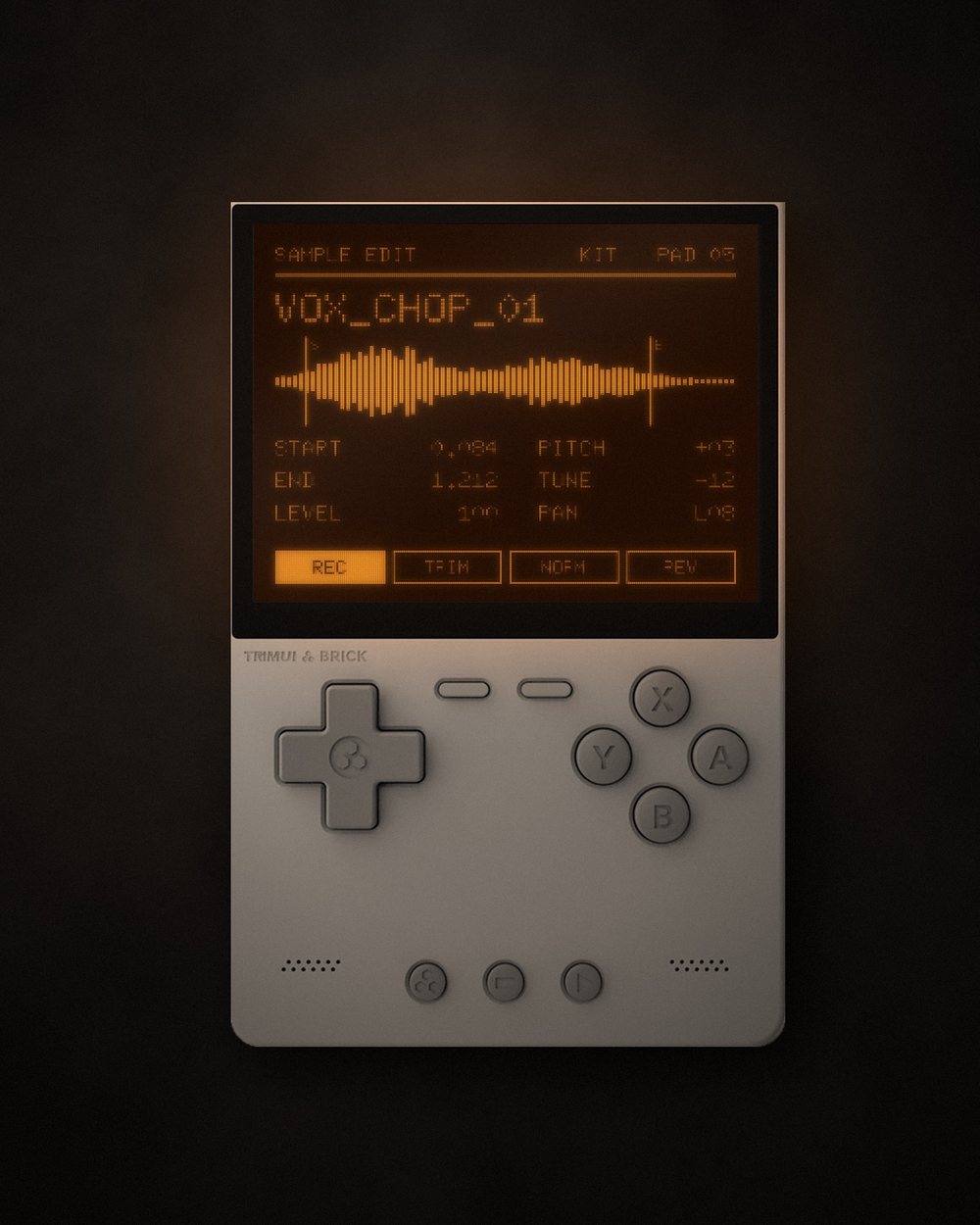
DOT-MATRIX SCREEN
Flat, single-colour LCD look with big text and big numbers. Orange, blue, red or green, like the displays of the period.
CHANGES
- 2.0Wave sequencing on the new WSEQ page. SAMPLE and EDIT are now one page, with a TOOLS menu. Save the region as a new sample. FX switch on and off without clicks. USB sources are shown as "USB".
- 1.4.xRecord from USB: audio interface, USB mic or synth with USB audio. The volume buttons set the output volume.
- 1.4New EDIT page with loop points, crossfade and Zero Snap. Chop onto pads, time-stretch, the LFO page and MIDI learn.
- 1.2.3Audio engine rewritten in C on its own thread. MIDI latency down to 8 ms, with a Low / Mid / Safe setting.
- 1.2Named projects, sample rename and delete, a name for every take, on/off switch for each FX section, four display colours.
- 1.1Settings page: recording sample rate and bit depth, engine status.
- 1.0Kit and chromatic modes, FX, MIDI in, recording from the mic, the dot-matrix screen.
WHY I BUILT IT
A sampler was the one instrument I never owned. So I made my own, for a device that fits in a pocket.
It takes the workflow I liked in 80s and 90s samplers, Akai especially, and keeps the useful parts. The old limits stay in the past: no 12-bit mode, no memory juggling.
— Alessandro Pietrosanti
DOWNLOAD AND INSTALL
BrickSampler_v2.0.3.zip · Free, GPL-3.0. The zip has the full source inside. The user manual (18 pages, PDF) shows every page and setting, with pictures. Want to read the code first? See the source on GitHub.
First, your Brick needs KNULLI, a free system you put on the SD card. Get it and its install guide at knulli.org.
- 01Download the zip and unzip it on your computer.
- 02Copy BrickSampler.sh, the .keys files and the bricksampler folder to roms/ports on the SD card.
- 03Start BrickSampler from Ports. The first time it unpacks a few files, which takes a few seconds. Your WAVs go in bricksampler/samples.
Updating? Keep your bricksampler/samples, bricksampler/projects and settings.json. Hold SELECT for the controls, MENU + START closes the app. If something goes wrong, bricksampler/log.txt says why. Tested on KNULLI Scarab.
New in 2.0
WAVE SEQUENCING
I used to own a Korg Wavestation, and its wave sequences were the thing I missed most. Now they are in BrickSampler, built from your own samples.
Record a few sounds, line them up as steps, and one key plays them in turn: each step with its own length, level and tuning, sliding into the next with a crossfade or cutting straight to it. Loop part of the sequence, back and forth if you like, and move through it with velocity or the mod wheel.
It's a switch on the sample page. Leave it off and the slot plays a single sample, as before.
PER STEP
Sample and its region · duration or gate · crossfade · level · coarse and fine tune · loop
PER SEQUENCE
Up to 64 steps · start step · loop forward or back-and-forth · repeats or endless · tempo · key sync or free-running
CONTROL
Start step by velocity · mod wheel scans the sequence
NEXT UP
- Wave sequencing, one SAMPLE page with tools, save region as new, FX without clicksv2.0
- Pick the input on USB adapters with more than one, like mic in and line in, and switch it on by itselfv2.0.2
- Each USB device remembers its own inputv2.0.3
- Knobs and faders on the main settings, drawn light enough for the BrickNext
- Vector mix of up to four sequences, moved by an envelope or two MIDI knobsLater
- Sound out through a USB audio interface (headphones on the interface)Later
FOUND A BUG? HAVE AN IDEA?
Tell me how BrickSampler works for you. Every bug report and every idea helps make it better.
Both go to GitHub. No GitHub account? Email me at info@brickworldhub.com. If something goes wrong, the app's log.txt helps me a lot.
NO BRICK YET?
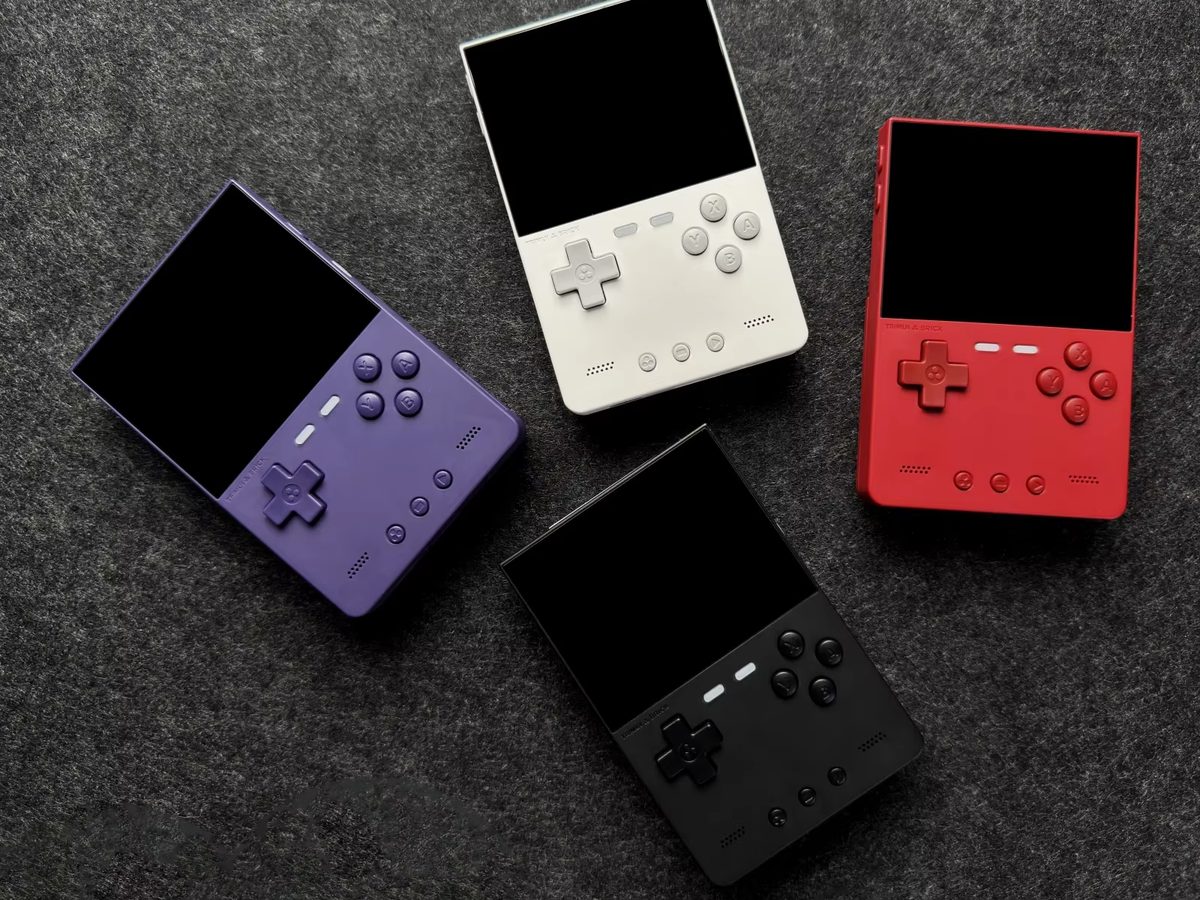
BrickSampler runs on the TrimUI Brick, a small handheld console, with KNULLI on its SD card. KNULLI is free: download it and follow the install guide at knulli.org. The app is free: the Brick is the only thing you need to buy.
- 3.2" screen, 1024 × 768
- USB-C for audio interfaces, USB synths and MIDI keyboards
- Headphone jack out
- 3000 mAh battery, 159 g
- White, black, red or purple
Check today's price on AliExpress or Amazon. These are affiliate links: if you buy through them, I get a small commission and you pay the same price. It helps me keep the apps free. As an Amazon Associate I earn from qualifying purchases.
NEED A LINE INPUT?
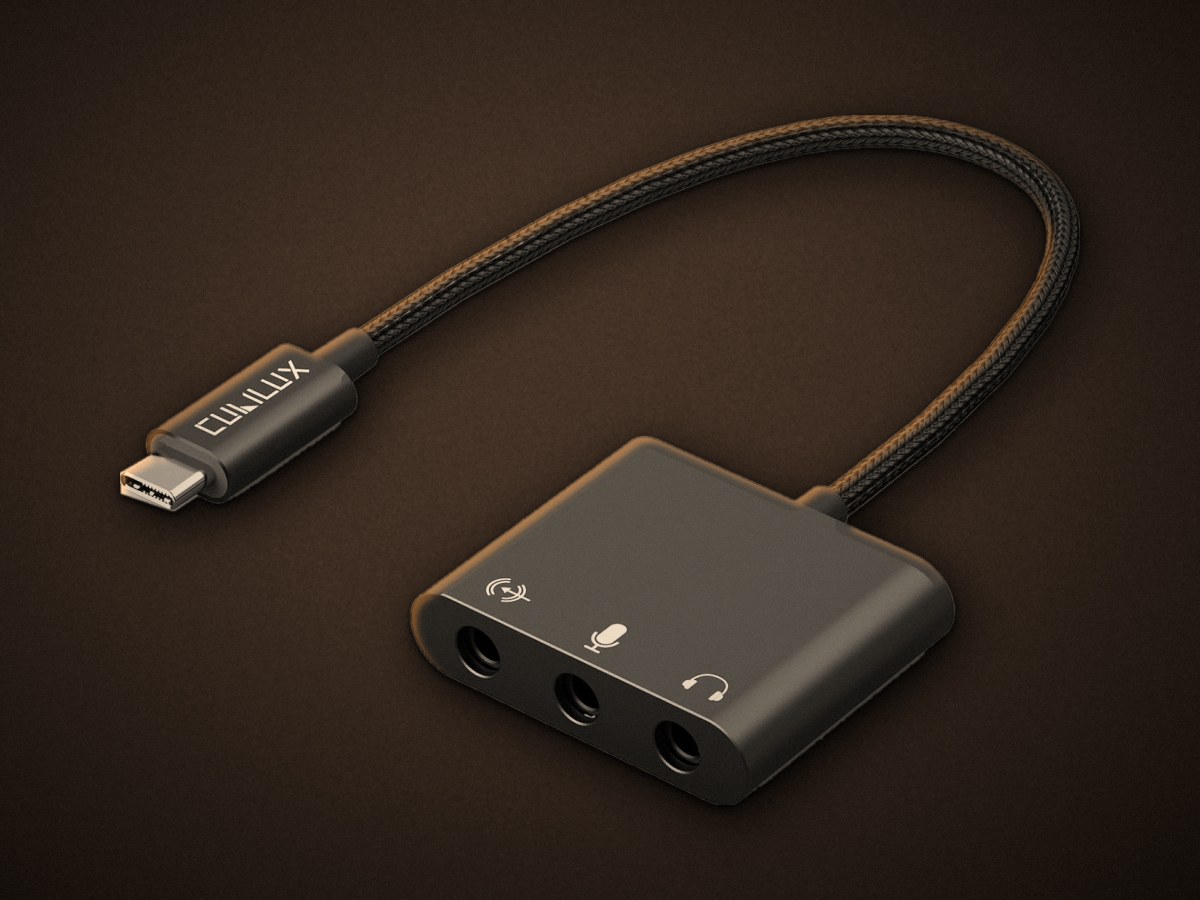
To record a synth, a drum machine or a mixer into the Brick, you need a USB audio input. A small USB-C adapter like the Cubilux works well: plug it into the Brick, choose USB as the source, then pick the line input (Input 2) in the app.
- USB-C, no drivers, no power supply
- Line in, mic in and headphone out (3.5 mm)
- Tested with BrickSampler, BrickLooper, BrickTape, BrickFX and BrickAmbientFX
Affiliate link: if you buy through it, I get a small commission and you pay the same price. As an Amazon Associate I earn from qualifying purchases.