A loop station for the TrimUI Brick · KNULLI · v1.5.2
Play it.
Loop it.
Stack it.
BrickLooper is a five-track loop station for the Brick, made for playing live. Plug in a USB audio interface, a USB mic or a synth with USB audio, or use the built-in mic. Record a loop, stack more on top, and every track stays in time with the first one.
Free and open source (GPL-3.0) · Source code on GitHub
FEATURES
FIVE STEREO TRACKS
Record, overdub, stop and play each track on its own, with its own volume and level meter. Up to 60 seconds per track.
ALWAYS IN TIME
The first take sets the loop length. Every other track snaps to it and becomes 1, 2 or 3 loops long.
EASY ON TIMING
Close a take a little early and it keeps recording to the end of the loop. Close it a little late and the extra bit goes on top of the start.
USB OR MIC
A USB audio interface, a USB mic or a synth with USB audio, from channel 1, 2 or both. Or the built-in mic, good for quick ideas: while it records the sound stops, but the loop keeps time.
METRONOME
Click on or off, 40 to 240 BPM, in 2/4, 3/4, 4/4, 5/4, 6/8 or 7/8. With the click on, the first loop is a whole number of bars. The click is never recorded.
COUNT-IN
Press A, count along with one bar of click, and play on the next beat 1.
ADD OR REPLACE
Overdub adds a layer. Replace records over the old part where you play, and undo brings the old part back.
UNDO AND REDO
Took a wrong overdub? Take it back, or put it back again.
FX ON THE OUTPUT
Drive, bitcrush, filter, delay and reverb on everything you hear. Your takes are recorded clean. No clicks when you switch an effect on or off.
SAVED WITH THE PROJECT
START saves your loops with the project. When you open it again they are there, stopped and ready. B starts them.
CONTROLS
Hold SELECT to see them on the screen.
- ARecord, then overdub, then play, on the track you picked
- XStop or start the track
- BStart or stop all tracks
- Y+AUndo / redo
- Y+XClear the track, then A to record it again
- Y+BClear everything (it asks first)
- UP/DOWNPick a track (L2 / R2 work too)
- LEFT/RIGHTTrack volume
DOWNLOAD AND INSTALL
BrickLooper_v1.5.2.zip · Free, GPL-3.0. The zip has the full source inside. The user manual (15 pages, PDF) shows every page and setting, with pictures. Want to read the code first? See the source on GitHub.
First, your Brick needs KNULLI, a free system you put on the SD card. Get it and its install guide at knulli.org.
- 01Download the zip and unzip it on your computer.
- 02Copy BrickLooper.sh, the .keys files and the bricklooper folder to roms/ports on the SD card. It sits next to BrickSampler and doesn't touch it.
- 03Start BrickLooper from Ports. The first time it unpacks a few files, which takes a few seconds. Then choose your input in Source on the LOOP page.
Hold SELECT for the controls, MENU + START closes the app. If something goes wrong, bricklooper/log.txt says why. Tested on KNULLI Scarab with a USB synth and a USB audio interface.
NEXT UP
- Five tracks in sync, USB or mic, metronome and count-in, add or replace, FX on the outputv1.5
- Choose the USB input on adapters with more than one (mic in and line in), and the line input is switched on by itselfv1.5.2
- Free mode: tracks with their own lengthPlanned
- Control the looper from a MIDI keyboard or controllerPlanned
- Automatic latency testIdea
- Reverse, half speed and fade out for each trackIdea
FOUND A BUG? HAVE AN IDEA?
Tell me how BrickLooper works for you. Every bug report and every idea helps make it better.
Both go to GitHub. No GitHub account? Email me at info@brickworldhub.com. If something goes wrong, the app's log.txt helps me a lot.
NO BRICK YET?
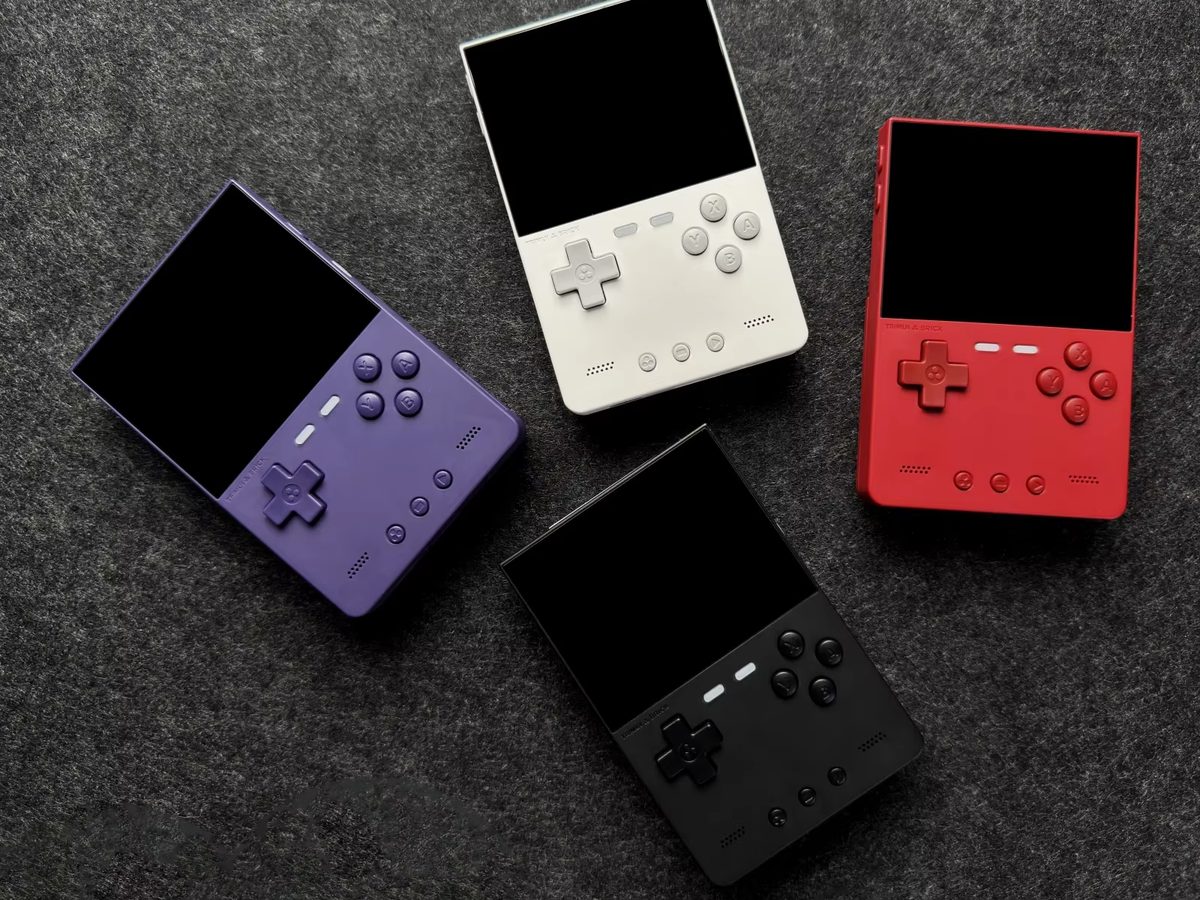
BrickLooper runs on the TrimUI Brick, a small handheld console, with KNULLI on its SD card. KNULLI is free: download it and follow the install guide at knulli.org. The app is free: the Brick is the only thing you need to buy.
- 3.2" screen, 1024 × 768
- USB-C for audio interfaces, USB synths and MIDI keyboards
- Headphone jack out
- 3000 mAh battery, 159 g
- White, black, red or purple
Check today's price on AliExpress or Amazon. These are affiliate links: if you buy through them, I get a small commission and you pay the same price. It helps me keep the apps free. As an Amazon Associate I earn from qualifying purchases.
NEED A LINE INPUT?
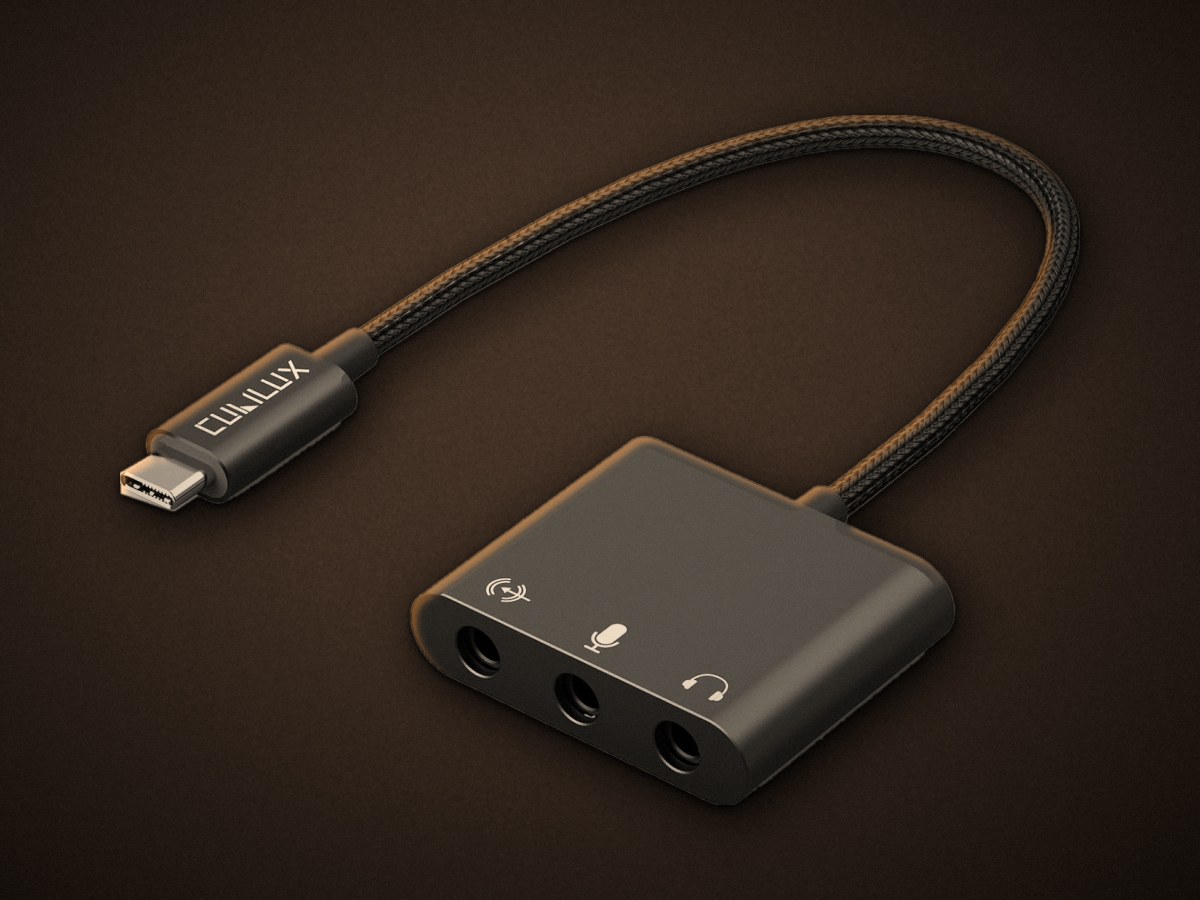
To record a synth, a drum machine or a mixer into the Brick, you need a USB audio input. A small USB-C adapter like the Cubilux works well: plug it into the Brick, choose USB as the source, then pick the line input (Input 2) in the app.
- USB-C, no drivers, no power supply
- Line in, mic in and headphone out (3.5 mm)
- Tested with BrickSampler, BrickLooper, BrickTape, BrickFX and BrickAmbientFX
Affiliate link: if you buy through it, I get a small commission and you pay the same price. As an Amazon Associate I earn from qualifying purchases.